
Guide
Best GoreBox 27 Settings: Performance, Controls and Comfort
Set it before the session: graphics choices by phone tier, touch layout logic, and the controller setup that changes everything.
CONTENTS On this page
A physics game has more settings that matter than most shooters, because your phone is running a small world, not a backdrop. This guide sets the important ones, per the rack testing behind GoreBox 27.
Performance by tier
Flagships can take the world as it comes. Mid-range phones should protect frame stability first and treat huge bot counts and debris fields as the real settings menu: scene scale is a performance choice you make with the spawn tool. Budget phones: smaller scenes, bots in modest numbers, and the game stays itself.
Controls
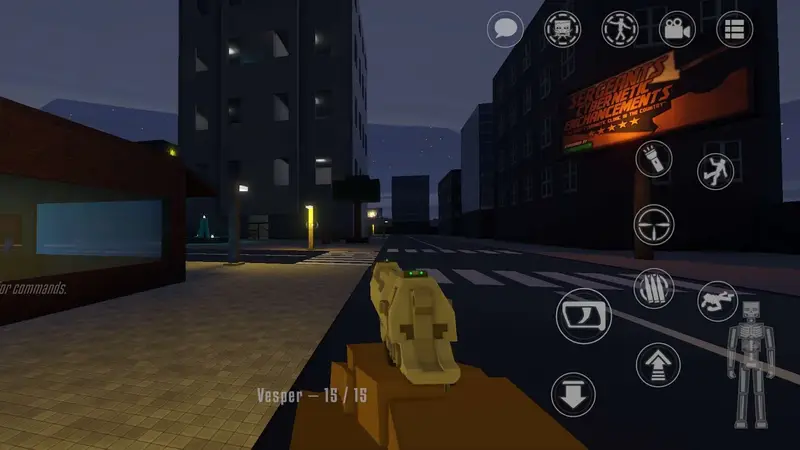
On touch, build the layout around your thumbs and keep the Crusher and Inspector controls reachable without re-gripping. On controller, and the game supports pads fully, map with intent: this is the single biggest comfort upgrade the game offers, especially for long building sessions.
Session comfort
Hosts should set the room's terms before guests arrive: mode, map, bot fill and difficulty. Most "settings problems" in multiplayer are actually unmade decisions, and they are all cheaper before the lobby fills.
Keep driving
Quick Answers
What is the highest-impact setting?
Scene scale: how many bots and objects your session carries. It is a setting you hold in the spawn tool.
Is a controller really worth it?
For precision tools and long sessions, yes, noticeably. Touch remains fully workable.
Why does my big scene slow down over time?
Persistent debris and bodies accumulate; the world remembers. Clear scenes between epics.